
WordPress 7 rolls out on April 9, 2026, and like most major releases, it comes with a batch of updates and improvements that agencies tend to approach with measured skepticism.
The real question isn’t what’s new. It’s which WordPress 7 features actually make your team more efficient, and your work easier to manage.
Having beta tested WordPress 7, here’s where I actually landed.
WordPress now supports real-time collaborative editing. Multiple users can work on the same page at once, with live updates and a clear indicator showing who’s editing.
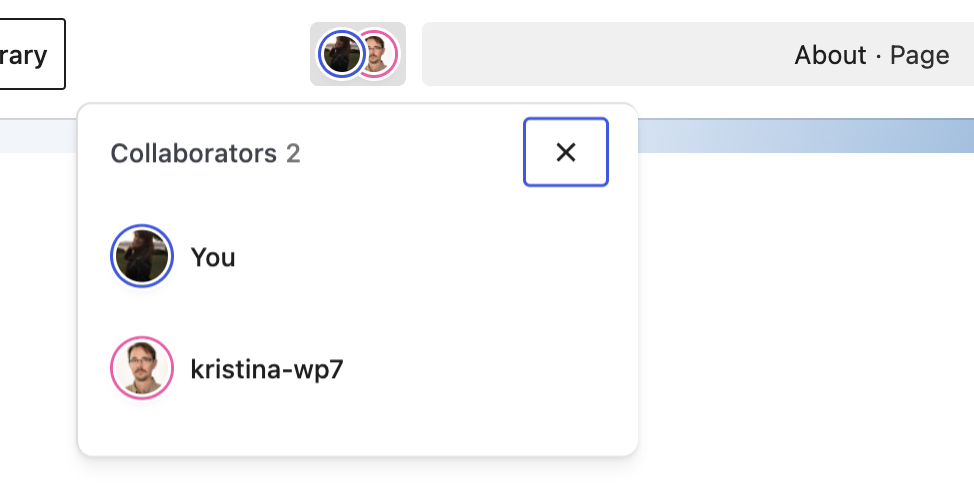
This one changes something I’ve wanted for years: the ability to train clients inside the actual interface, not just over a screenshare.
I can also see it coming in handy during those final crunch times before launch. Instead of sending messages like, “Hey, can you hop out of that page so I can jump in?”, teams can now divide and conquer without getting in each other’s way.
This is one of the first WordPress 7 features that actually makes working together inside the platform easier.
A WordPress 7 update that pairs nicely with real-time editing is visual revisions. Instead of relying on the traditional text-based revision history, WordPress now allows you to compare changes visually within the editor. You can see how a page looked before and after edits, making it much easier to understand what actually changed.
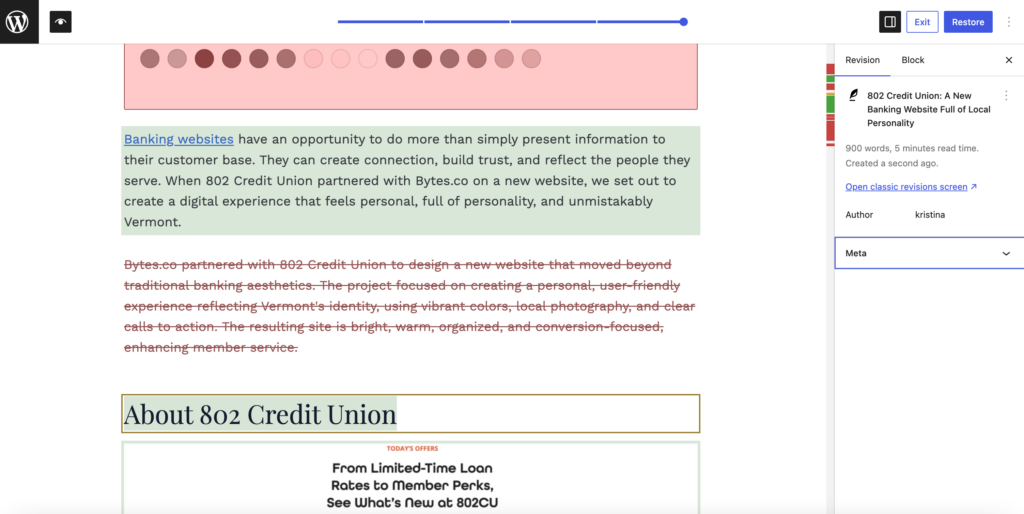
This becomes especially useful in a more collaborative environment when multiple people are working on the same page. Changes can add up quickly, and without a clear way to review those changes, it’s easy to lose track of what was updated.
This aligns much more closely with how websites are actually built. We’re working with layouts and components, not scanning through lines of text to figure out what changed.
It also helps address a common client request: “Can I see what changed and who made that change?”
In the past, I’ve been hesitant to point clients to WordPress’s native revision system. The text-based interface can feel overwhelming and difficult to interpret, especially for non-technical users.
Visual revisions are a much more approachable way to review updates and can make it easier to roll something back if a mistake was made.
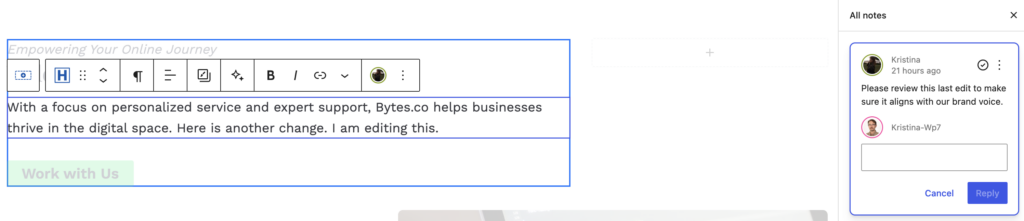
This might be my personal favorite of the new features. The Notes function allows you to leave comments directly on individual blocks, which sounds simple but opens up some useful workflow opportunities.
As a designer, I appreciate the way this feature was built. If you click on the note, the block that has the assigned note is highlighted and in focus. The avatar for the user who made the comment is visible on the block, providing visual validation that you’re in the right place. When you’re on a long, complexly built-out page, this design consideration will be immensely helpful, especially if you plan to use notes to handle things like feedback.
Worth noting: this feature was introduced in WordPress 6.9, not 7. But in the context
of WordPress 7’s broader collaboration push, it starts to feel more relevant and more worth using.
For us, there are two ongoing challenges when it comes to relaying feedback and direction, whether that’s to a developer, a designer, or even a client.
The first is communicating design and functional intent. Not everything can be inferred from a mockup or existing components. There are always edge cases where additional context is needed. Typically, we handle this in Figma or through marked-up screenshots.
The second is collecting and prioritizing feedback during QA. What Notes can offer is another option, one that lives directly inside WordPress. In situations where we’re trying to move quickly, streamline communication, or stay within one location, that flexibility can be very useful.
This new feature doesn’t replace Figma or structured design workflows. For larger projects, keeping design direction centralized is still the better approach. But for quicker builds, Notes can keep things moving along.
WordPress 7 introduces native AI integrations, but the real value isn’t in content creation. There are already better tools for that. Where it helps is in reducing repetitive tasks.
We build accessible websites, so alt text is required. WordPress can now generate it using AI, and the results are solid.
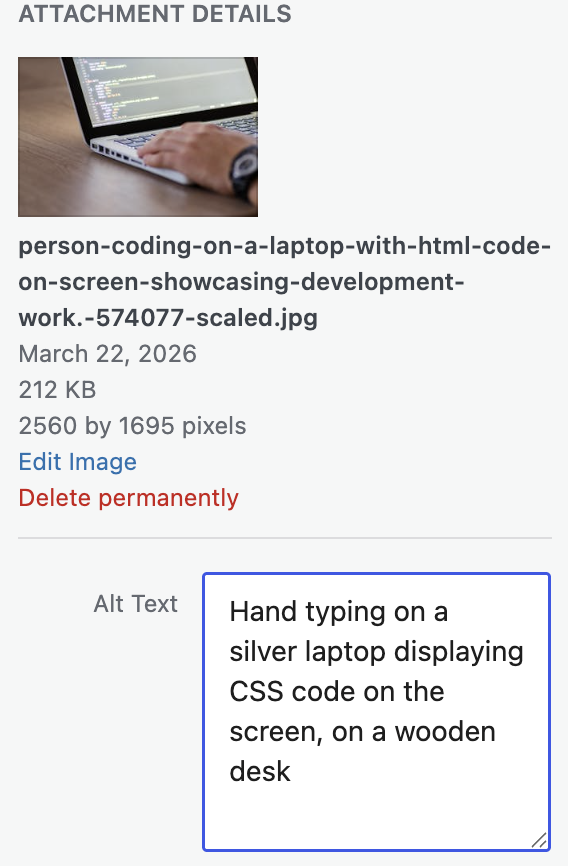
This is one of the most immediately useful WordPress 7 features that I can see benefitting businesses:
Providing text alternatives for images is a baseline accessibility requirement, so this feature directly supports both compliance and efficiency.
This feature is another practical win. During a redesign, existing content rarely maps cleanly to new templates. Adjusting and standardizing that content—especially at scale—can quickly become one of the more time-consuming parts of the development process.
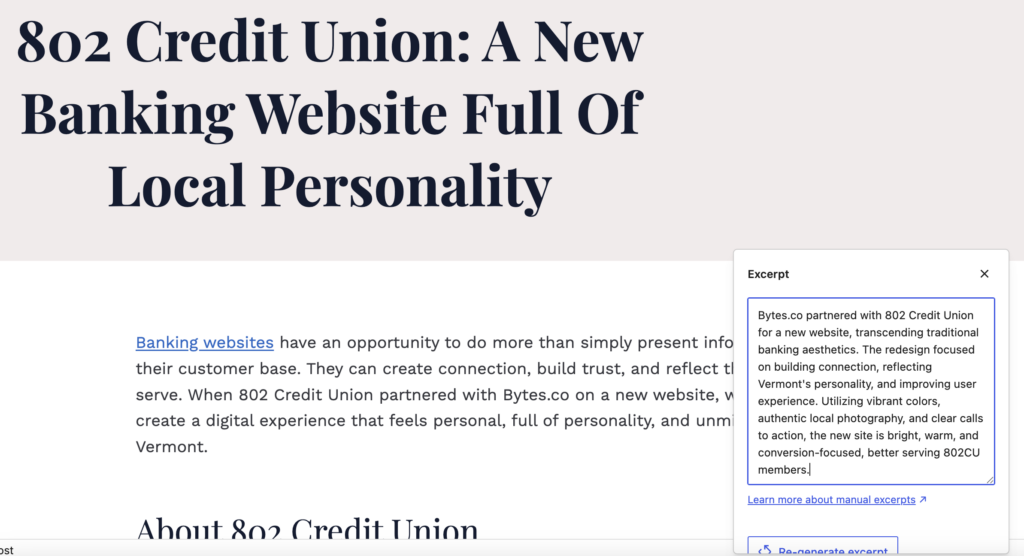
With WordPress 7, you can now:
I will note that this still requires a user to press a button within each page to generate the excerpt and summary. So this doesn’t quite solve the content migration challenge where you’re dealing with hundreds of posts. I am finding that spreadsheets leveraging AI prompts are a better choice for this. But the new WordPress 7 excerpt generation allows a client to slowly pick away at converting their content to new templates and empowers them with an easy-to-use tool they can access directly within WordPress.
It’s worth being clear about what WordPress 7 does not do in terms of AI. I don’t see these new AI integrations replacing a full content workflow.
AI-driven site and content generation also isn’t new to WordPress. It’s already being done through plugins, page builders, and hosting platforms that have been rolling out these features for a while.
We’ve seen this firsthand with tools like Kadence, which we use on many of our builds. Their AI site generator walks you through a structured setup, asking targeted questions, allowing you to upload or select imagery, and generating layout options to choose from. It also includes built-in content generation tools that let you adjust tone and output length as you write.
The difference comes down to context and control. These tools are designed to guide the process and incorporate more project-specific inputs, which leads to more usable results. Compared to that, the native AI features in WordPress 7 feel earlier in their evolution, useful, but not yet as comprehensive.
The current limitations we see are:
When you use AI connectors (whether it’s through OpenAI, Anthropic, or Google) in WordPress to generate titles, summaries, or excerpts, it’s primarily working from the content already in front of it. In contrast, when we work directly with those same AI-tool providers, such as ChatGPT or Claude, we’re providing a much richer set of inputs, such as brand voice, project goals, user details, design principles, and clear visual direction. That additional context is what makes the output actually usable for client work (and feel more unique to the client and their target users, not come across as cookie-cutter or AI-generated).
In its current state, it seems that WordPress 7 AI is best suited for assistive tasks rather than full content generation. It’s also not being positioned as a complete content solution, which aligns with what we’ve seen in testing. This feels more like a foundation, introducing AI into the platform now, with the expectation that more robust capabilities will follow.
Yes, from what I’ve seen so far, WordPress 7 introduces some clear efficiency gains, most of them coming from improvements to how work gets done.
WordPress 7 isn’t trying to reinvent the platform. It’s making it easier to use in ways that feel overdue and are already being leveraged in platforms like Google Docs and plugins like Kadence Blocks.
The biggest impact here is on collaboration. Teams can work together more easily, stakeholders can be more involved, and some of the smaller, time-consuming tasks start to disappear.
Individually, these might feel like small wins. But across a full project—multiple collaborators, training sessions, QA rounds—they add up to meaningful time saved.
At the end of the day, we’re not building websites in isolation. The tools we use should support how we actually work. WordPress 7 is a solid step in that direction.